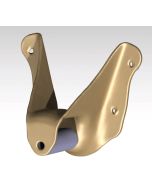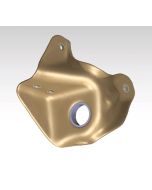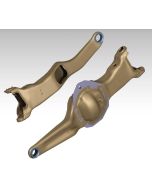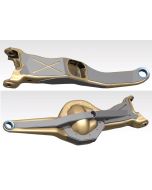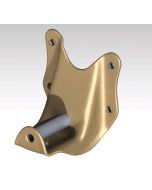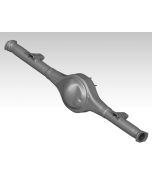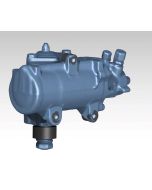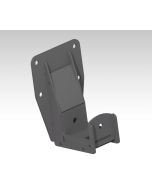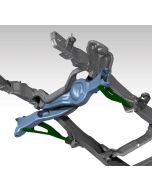

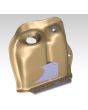
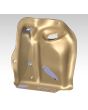
1990 Bronco Front Spring/Shock Tower Scan CAD File
***This product is a Digital Asset. You are purchasing the cutting files (DXF) or Solid (CAD) files for this component so that you can have these plates cut and bent (press) from a CNC plasma, laser, or waterjet machine.***
More Information
| Seller | Jason Heard |
|---|
Specifications
| Platform | Ford Bronco |
|---|---|
| Part Family | 3D Scan / CAD Reference Files |
| Position | Front suspension |
Frequently Asked Questions
This one's a 3D scan delivered as a STEP file, so it's reference geometry you build your own parts off of rather than a ready-to-cut DXF. It's perfect if you're designing new towers or mounts and want the real factory dimensions to work from.
The scans come as STEP files in a ZIP folder, but if you need another format just email [email protected] with your request and order number and we can get you whatever file type works for your setup.
Yep, this scan is the front spring/shock tower for the 90 Bronco chassis, so you've got that geometry to reference for your build. If you need other parts of the front end scanned, shoot us an email and we'll see what else we've got in the 90 Bronco files.
These are digital — soon as your payment goes through you get a download link for the DXF cut files. Nothing physical ships.
The 1990 Bronco Front Spring/Shock Tower Scan CAD File is $22.00.
This 1990 Bronco Front Spring/Shock Tower Scan CAD File is brought to you by Tekk Consulting Inc. Other off-road and race fabrication designers in the DIY Off Road marketplace include All Co Metal Fab, Armada Engineering, Baja Customs, Baker Motorsports, BPforged, Brad Howard Welding and Fabrication, Christopher Reader, CRD, Deuling Design, Dirty BFabwerx, FDFabrication, Izzy Fab, JEH Consulting INC, JRTfab, Master Fab, Mc Will Manufacturing, OffroadCAD-Models and Superioroffroaddesigns. Need a custom part designed? Email us and we will connect you with the right designer.
DIY Off Road has downloadable DXF cut files for 90 Bronco Chassis and Suspension plus a ton of other off-road and race fabrication parts, all drawn up by real fab shops. Browse the 90 Bronco Chassis and Suspension category, or shoot us an email and we will point you to the right files for your build.
Yeah — DIY Off Road carries downloadable DXF cut files across 3D Scan CAD Files, including 90 Bronco Chassis and Suspension, all designed by working fab shops. Browse the 3D Scan CAD Files section or email us and we will help you track down the right files.
Yeah — if you don't have your own CNC plasma, laser, or waterjet, shoot us an email and we'll send over a few shops that can cut (and press/bend) the parts so you can weld them up.
Soon as your payment goes through you get a download link for the DXF cut files. You (or a shop) cut them from steel on a plasma, laser, or waterjet, bend whatever needs it, then weld them into your build. Nothing physical ships.
Yep — these are cut files for DIY and pro fabrication. A lot of the parts are "plasma table friendly" (flat plate, no bends) to make cutting and assembly easier, but you'll need to cut and weld them in yourself, or have a shop handle it.
Reviews
No reviews yet.